Efficiency
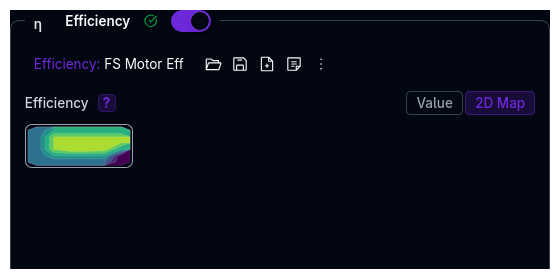
The Efficiency component models engine or motor efficiency to account for power losses. It is an optional component — enable it via the toggle in the Powertrain page.
When disabled, 100% efficiency is assumed (no losses).
The Efficiency component is an independent library component — it can be saved, loaded, duplicated, and shared separately from the parent Powertrain.
Parameters
Efficiency Modes
The component supports two modes:
Constant Efficiency
A single efficiency value applied across all operating conditions.
| Parameter | Description | Unit |
|---|---|---|
| Efficiency | Fixed efficiency value | decimal (0–1) |
2D Efficiency Map
Efficiency values that vary with torque and RPM:
- X-Axis: Torque (N·m)
- Y-Axis: RPM
- Z-Axis: Efficiency (decimal, 0–1)
When to Use Each Mode
- Use Constant for initial simulations or when detailed efficiency data is unavailable
- Use 2D Map when manufacturer efficiency maps are available — this captures the real-world "efficiency islands" where the power source operates most efficiently
See Data Types for details on map editors.
Integration with Powertrain
The efficiency component is one stage in the total powertrain efficiency chain:
Total Efficiency = Power Source Efficiency × Gear Efficiency × Final Drive Efficiency × Bevel Efficiency
Gear, final drive, and bevel efficiencies are configured in the Gears component.
Validation Warnings
| Condition | Warning |
|---|---|
| 2D map contains values below 50% | Efficiency map contains values below 50%, which may indicate poor performance |
| 2D map contains values above 100% | Efficiency map contains values above 100% — please verify the data |
| Constant value below 50% | Constant efficiency is below 50%, indicating poor performance |
| Constant value above 100% | Constant efficiency is above 100% — please verify the data |
Tips
- Use real data when available — manufacturer efficiency maps provide the most accurate results
- Electric motors are typically 90–97% efficient; ICE engines are typically 30–40%
- Start with constant mode if you don't have detailed data — you can always switch to a 2D map later
- Paste data from spreadsheets — the 2D map editor supports paste from Excel or Google Sheets
Next Steps
- Configure Differential for torque distribution behaviour
- Complete powertrain setup with Engine or Electric Motor
- Return to Powertrain Overview