Gears
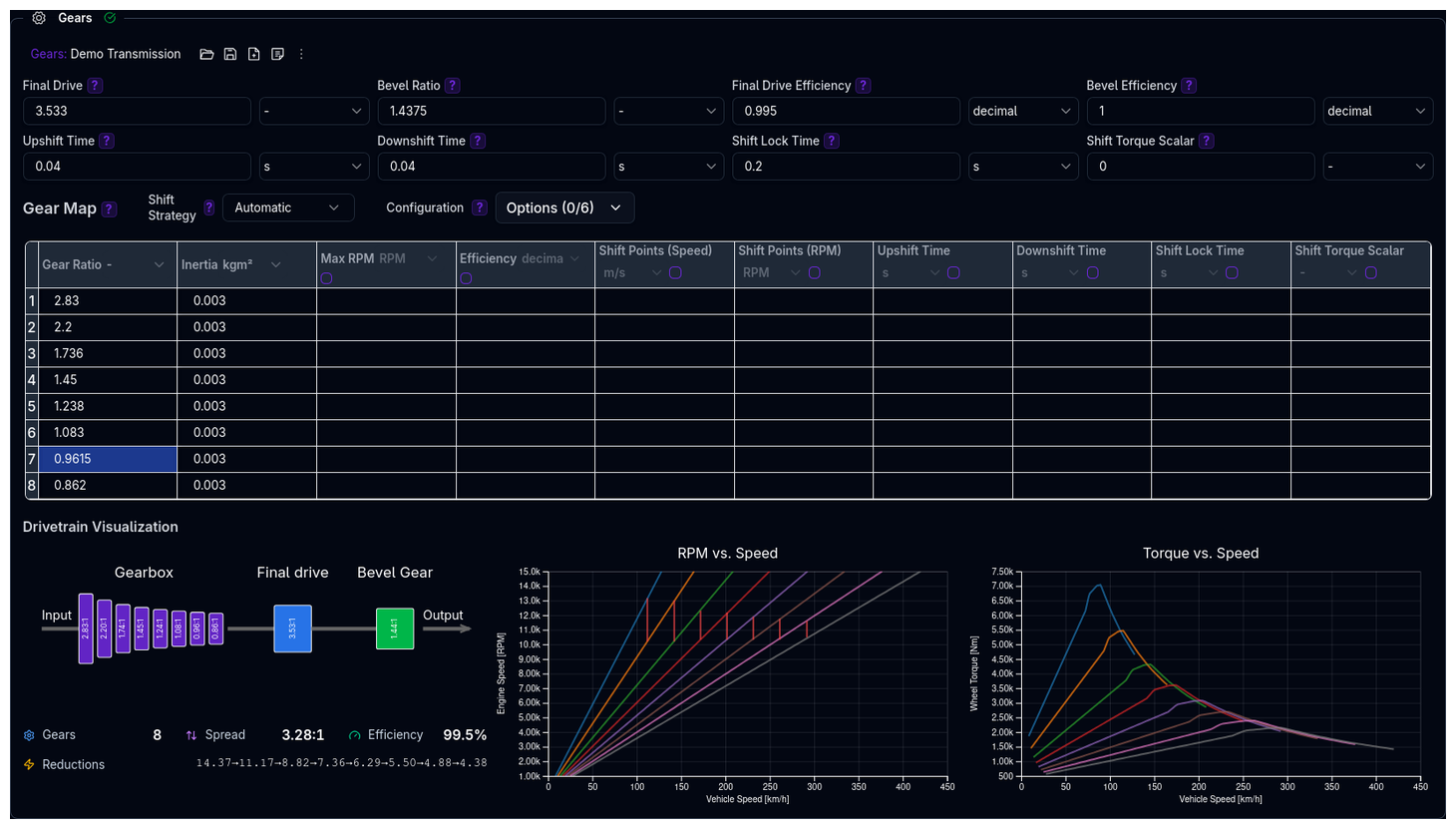
Configure gear ratios, shift timing, shift strategy, and transmission properties for optimal power delivery.
The Gears component is an independent library component — it can be saved, loaded, duplicated, and shared separately from the parent Powertrain.
Parameters
Core Transmission Settings
| Parameter | Description | Unit |
|---|---|---|
| Final Drive | Gear ratio between gearbox and wheels | - |
| Bevel Ratio | Ratio of bevel gears in drivetrain | - |
| Final Drive Efficiency | Efficiency of final drive component | decimal (0–1) |
| Bevel Efficiency | Efficiency of bevel gear component | decimal (0–1) |
Drivetrain Ratios
- Final Drive affects overall torque multiplication and top speed
- Bevel Ratio is typically used for drivetrains with angle changes in the driveline
Gear Map Configuration
The gear map defines ratios and optional parameters for each gear:
| Parameter | Description | Unit |
|---|---|---|
| Gear Ratio | Torque multiplication for each gear | - |
| Inertia | Rotational inertia of each gear assembly | kg·m² |
| Max RPM | Maximum RPM limit per gear (optional) | RPM |
| Efficiency | Transmission efficiency per gear (optional) | decimal (0–1) |
Shift Timing Parameters
| Parameter | Description | Unit |
|---|---|---|
| Upshift Time | Time to complete an upshift | s |
| Downshift Time | Time to complete a downshift | s |
| Shift Lock Time | Minimum time between gear changes — prevents rapid gear cycling | s |
All shift timing defaults to 0.0 s and can be set globally or per gear.
Torque Management
| Parameter | Description | Unit |
|---|---|---|
| Shift Torque Scalar | Torque multiplier applied during gear changes | decimal (0–1) |
Shift Torque Scalar
- 0.0: Complete torque cut during shifts (smoothest)
- 0.5: 50% torque maintained (balanced)
- 1.0: No torque reduction (harshest shifts)
Shift Strategy
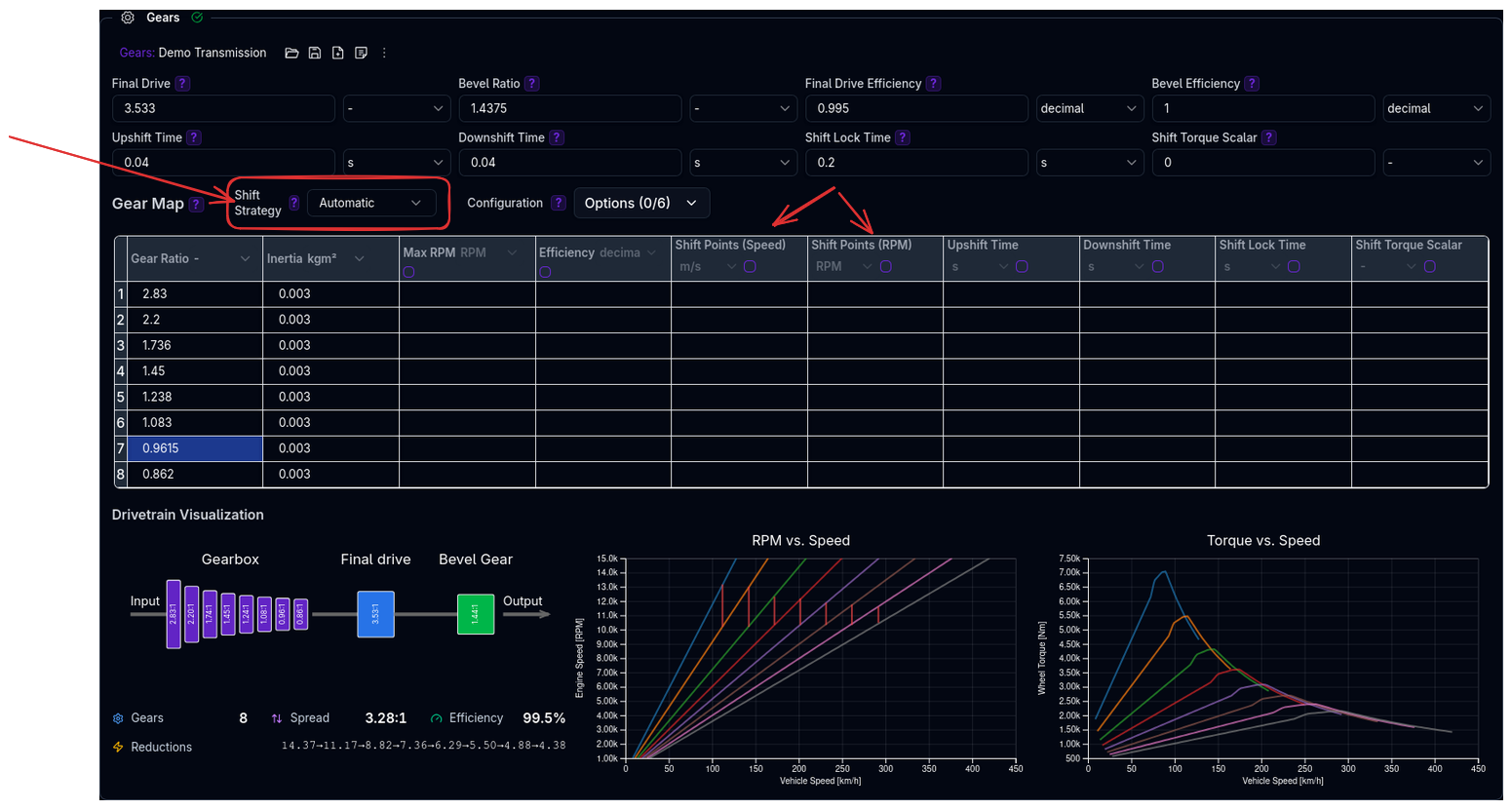
Controls how and when gears are changed:
| Strategy | Description |
|---|---|
| Automatic | Computer-controlled optimal shifting |
| Manual Speed | User-defined shift points by vehicle speed (m/s) |
| Manual RPM | User-defined shift points by engine/motor RPM |
For manual strategies, you must define N−1 shift points for N gears (e.g., 5 gears = 4 shift points).
Configuration Options
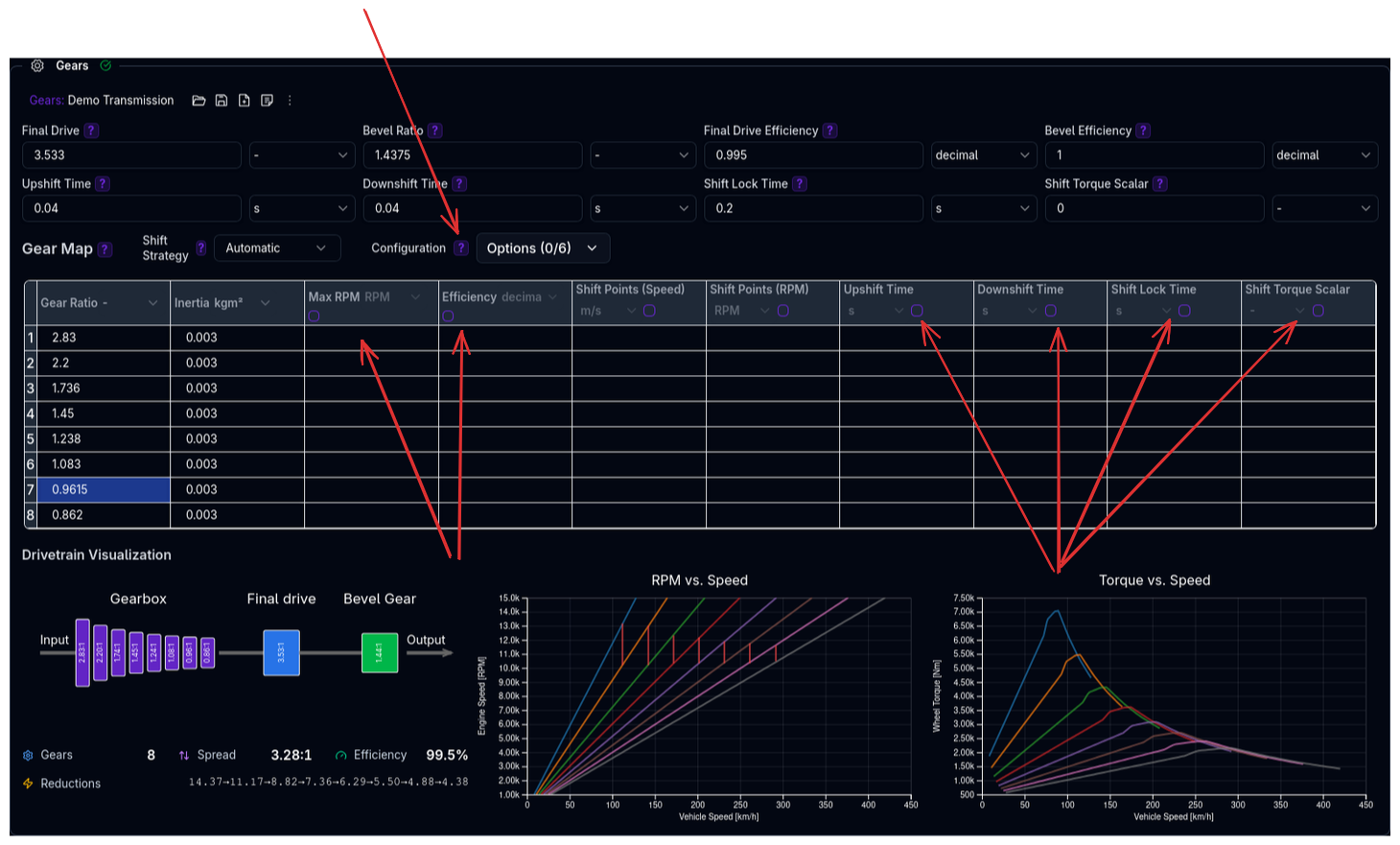
Enable advanced per-gear settings through the Configuration dropdown:
| Option | Description |
|---|---|
| Specify max RPM per gear | Set individual RPM limits per gear |
| Specify transmission efficiency | Different efficiency per gear |
| Specify upshift time per gear | Individual upshift durations |
| Specify downshift time per gear | Individual downshift durations |
| Specify shift lock time per gear | Individual lock times per gear |
| Specify shift torque scalar per gear | Different torque reduction per gear |
Validation Warnings
Gear Ratio Warnings
| Condition | Warning |
|---|---|
| No gear ratios defined | At least one gear ratio must be defined |
| Uneven ratio progression (coefficient of variation > 20%) | Uneven gear ratio progression may affect driving experience |
| Ratio step between consecutive gears > 2.0 | Large gear ratio step may cause significant RPM drops during shifts |
| First gear ratio < 2.0 | First gear ratio might be too tall for good acceleration |
| First gear ratio > 5.0 | First gear ratio might be too short for smooth starts |
| Gear ratio spread < 2.0 | Small gear ratio spread — consider wider spacing |
| Gear ratio spread > 8.0 | Large gear ratio spread — may be unrealistic |
Drivetrain Warnings
| Condition | Warning |
|---|---|
| Final drive < 2.5 | Low final drive ratio may limit acceleration |
| Final drive > 5.0 | High final drive ratio may limit top speed |
| Transmission efficiency < 0.85 (any gear) | Low transmission efficiency for gear X |
| Bevel efficiency < 0.85 | Low bevel gear efficiency may impact performance |
| Final drive efficiency < 0.85 | Low final drive efficiency may impact performance |
Shift Timing Warnings
| Condition | Warning |
|---|---|
| Upshift time > 0.5 s (any gear) | High upshift time for gear X |
| Downshift time > 0.5 s (any gear) | High downshift time for gear X |
Tips
- Progressive Ratios: Ensure smooth acceleration through all gears with even ratio steps
- Appropriate Final Drive: Balance acceleration and top speed for your application
- Realistic Shift Times: Match shift timing to your transmission type (manual, sequential, DCT, etc.)
- Efficiency Values: Use manufacturer data when available; leave at default (1.0) otherwise
Next Steps
- Configure Differential for torque distribution behaviour
- Set up Efficiency for detailed powertrain losses
- Configure power source (Engine or Electric Motor)
- Return to Powertrain Overview