Navigation Bar
The top navigation bar provides quick access to all major sections of the Applied Racing Dynamics platform.

Overview
The navigation bar consists of:
- Tree View Toggle - Show/hide the left sidebar
- Home Button - Return to the main dashboard
- Setup Dropdown - Access vehicle configuration pages
- Sim Dropdown - Launch simulations
- Results Dropdown - View and analyze results
- Race Tools Dropdown - Access utilities and settings
Tree View Toggle
Toggle the visibility of the Tree View on the left side of the screen for easy component navigation.
Tip
Use the keyboard shortcut to quickly toggle the tree view while working
Home Button
Returns you to the main dashboard showing:
- Recent simulations
- Calendar view of activities
- Quick access to recent configurations
Setup Dropdown
Access all vehicle setup and configuration pages.
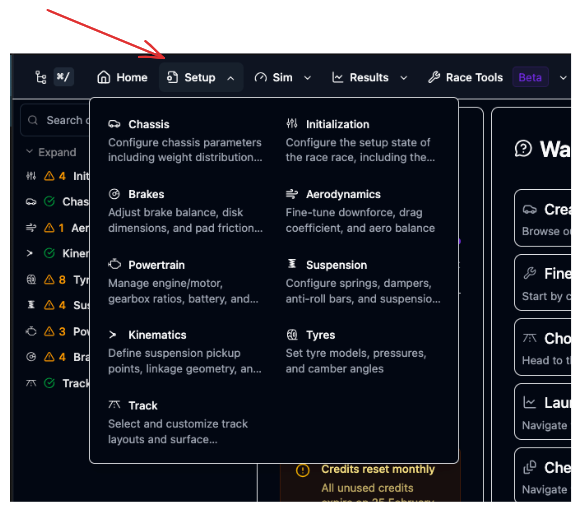
Available Setup Pages
- Initialization - Base vehicle parameters
- Chassis - Mass, inertia, and dimensions
- Aerodynamics - Aero maps and balance
- Kinematics - Suspension geometry
- Tyres - Tyre models and configuration
- Brakes - Braking system
- Powertrain - Engine/motor and transmission
- Suspension - Springs, dampers, ARBs
- Track - Track selection
Sim Dropdown
Launch different simulation types.
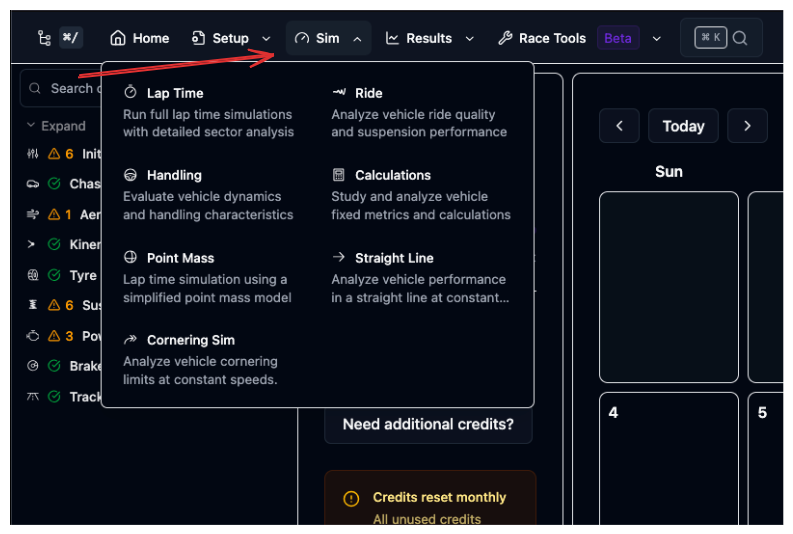
Available Simulations
- Lap Time (QSS) - Fast lap time prediction
- Cornering - Steady-state cornering analysis
- Straight Line - Acceleration and braking
- Kinematics - Suspension motion analysis
- Ride Analysis - Frequency response and comfort
- Handling (YMD) - Yaw moment diagram
- Calculations - Quick calculations
- Sweep - Parameter sensitivity analysis
Quick Access
Click the stopwatch icon for direct access to Lap Time simulation
Results Dropdown
View and analyze simulation results.
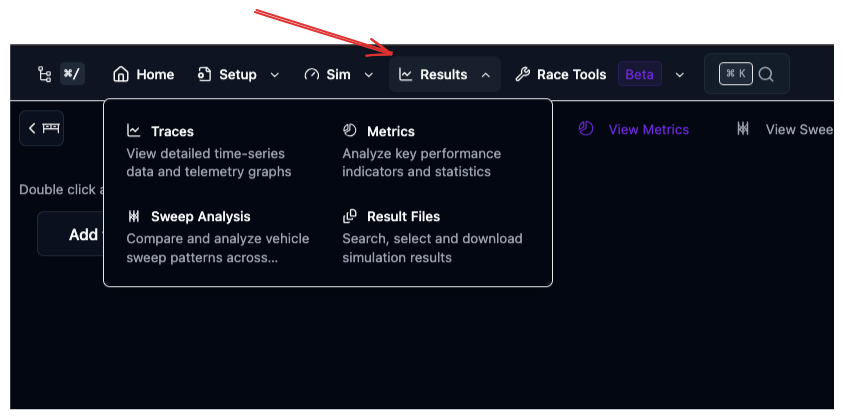
Available Tools
- Result Files - Browse all simulation results
- Trace View - Interactive plotting and analysis
- Metrics - Quick performance summary
- Parallel Coordinates - Multi-parameter visualization
- Upload Telemetry - Import real-world data
- Vehicle Compare - Compare configurations
Race Tools Dropdown
Access platform utilities and settings.
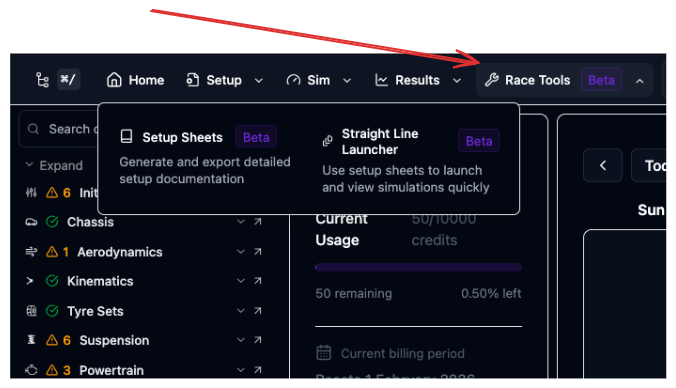
Available Tools
- Activity Centre - Notifications and simulation status
- User Settings - Account and preferences
- Setup Command Palette - Component management
Search Palette
Use the search function to quickly find:
- Setup components
- Simulation results
- Documentation
- Saved configurations
Keyboard shortcut: Press Ctrl+K (or Cmd+K on Mac) to open search from anywhere.
Navigation Tips
Efficient Workflow
- Use the Tree View for component navigation
- Use the Navigation Bar for switching between major sections
- Use Search for finding specific items quickly
Keyboard Navigation
Learn keyboard shortcuts to navigate faster:
- Ctrl+K - Open search
- Ctrl+/ - Toggle tree view